
Running AI models locally for coding is increasingly viable - but is it realistic for your setup? Let’s cut through the hype and look at concrete numbers.
Why would you go local?
- Cost - No API fees, no usage limits
- Latency - No network round-trip (faster autocomplete)
- Privacy - Code never leaves your machine
- Offline - Works on planes, in secure environments
The trade-off: you need decent hardware, and local models still lag behind the best cloud models.
The hardware reality
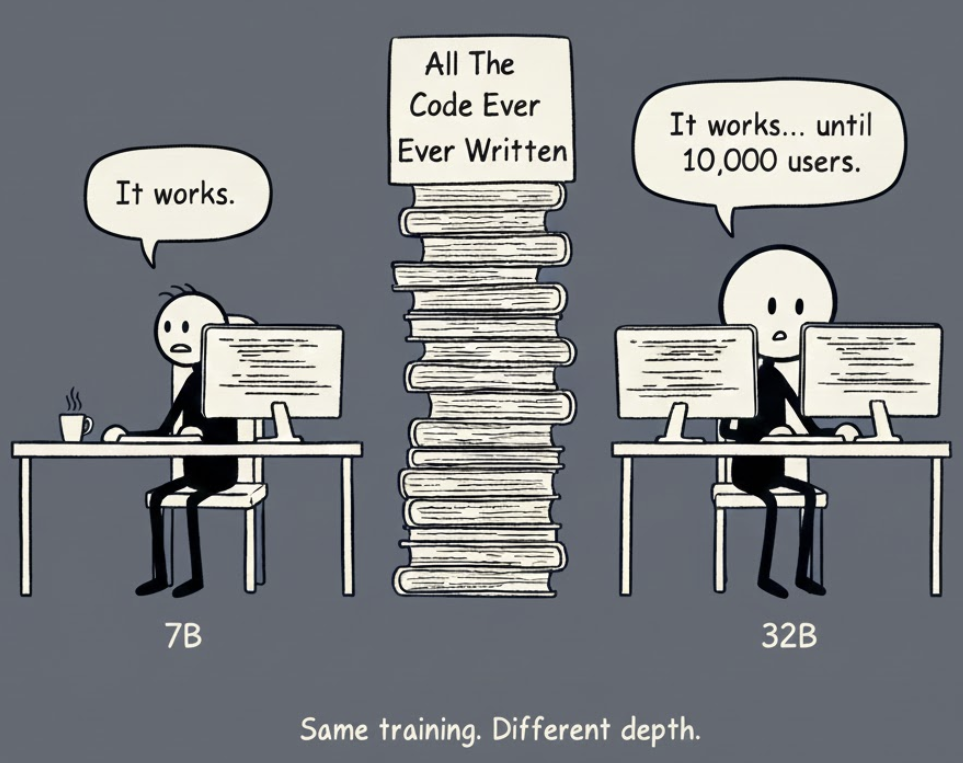
Running LLMs locally requires GPU VRAM. The “B” in model names (7B, 14B, 32B) means billions of parameters (what’s this?) - the learnable weights that define the model. More parameters generally means smarter, but also more VRAM needed.
A 7B and 32B model are typically trained on the same code/data - the difference is brain capacity, not knowledge.
7B (seven billion) sounds massive, but for context: GPT-4 is estimated at 1.7 trillion parameters, and even that makes mistakes. A 7B model can absolutely write correct code, but it holds fewer patterns (what’s this?) in its head simultaneously. On straightforward tasks (“write a function that sorts this list”), 7B and 32B perform similarly. The gap shows up when juggling multiple concerns at once: “refactor this authentication flow while maintaining backward compatibility with the legacy API and handling the edge case where tokens expire mid-request.”
VRAM requirements by GPU
| Your GPU | VRAM | What you can run | Quality level |
|---|---|---|---|
| RTX 3060/4060 | 8GB | 7B models | Good for autocomplete |
| RTX 3080/4070 | 12GB | 7B (comfortable) | Autocomplete + basic chat |
| RTX 3090/4080 | 16GB | 14B models | Decent all-around |
| RTX 4090 | 24GB | 32B models | Approaches cloud quality |
| Apple M2/M3 Max | 32GB+ | 32-70B quantized | Very capable |
| Apple M2/M3 Ultra | 64GB+ | 70B+ models | Near cloud quality |
A note on “quantized” models: (what’s this?) When you download a local model, you’ll see options like “Q4” or “Q5”. These are compressed versions that use less VRAM (roughly half) with only minor quality loss. The VRAM numbers in this article assume Q4 - if you see “FP16” or “full precision”, expect to need roughly double the VRAM. Just stick with Q4/Q5 and you’ll be fine.
Local coding models as of December 2025
Qwen 2.5 Coder - the current champion
Alibaba’s Qwen 2.5 Coder series dominates local coding benchmarks:
| Model | VRAM (Q4) | Aider score | Notes |
|---|---|---|---|
| Qwen 2.5 Coder 32B | ~20GB | 72.9% | Matches GPT-4o |
| Qwen 2.5 Coder 14B | ~9GB | 69.2% | Sweet spot for 16GB GPUs |
| Qwen 2.5 Coder 7B | ~5GB | 57.9% | Good for autocomplete |
| Qwen 2.5 Coder 3B | ~2GB | 39.1% | Lightweight but limited |
For context: Claude 3.5 Sonnet scores 84.2%, GPT-4o scores 72.9% on the same Aider benchmark.
Other options worth considering
| Model | Best for | VRAM (Q4) | Aider score |
|---|---|---|---|
| Codestral 22B | Autocomplete | ~14GB | 51.1% |
| Yi Coder 9B | Lightweight chat | ~6GB | 54.1% |
| Llama 3.1 70B | General + code | ~40GB | 58.6% |
Setup: Ollama + Continue.dev (easiest path)
The simplest way to get started:
1. Install Ollama
# macOS/Linux
curl -fsSL https://ollama.com/install.sh | sh

# Windows: download from https://ollama.com/download
2. Pull a model
ollama pull qwen2.5-coder:7b    # 8GB VRAM
ollama pull qwen2.5-coder:14b   # 16GB VRAM
ollama pull qwen2.5-coder:32b   # 24GB VRAM
Don’t have 24GB? The 7B model is genuinely useful - it handles autocomplete and simple questions well. You’ll notice the difference on complex tasks: multi-file refactors, architectural decisions, or debugging subtle logic errors. For those, the 7B might miss context or suggest simpler solutions. But for “complete this function” or “write a unit test for this”, 7B is perfectly capable.
3. Install Continue.dev in VS Code
- Install the Continue extension
- Open settings and add your Ollama model
- Start coding
That’s it. Autocomplete and chat now run locally.
Realistic expectations: local vs cloud
Let’s be honest about the trade-offs:
| Aspect | Local (Qwen 32B) | Cloud (Sonnet 4.5) |
|---|---|---|
| Quality | 72.9% Aider | 84.2% Aider |
| Speed (chat) | 20-40 tok/s | 50-100 tok/s |
| Speed (autocomplete) | ⚡ Faster (no network) | Slight latency |
| Cost | $0 (after hardware) | $0.30/task |
| Setup | 30 mins | 2 mins |
| Privacy | 100% local | Data sent to cloud |
When local makes sense
- Autocomplete - Local latency wins. A 7B model handles tab completion well, and the instant response feels snappier than cloud.
- High volume - If you’re making hundreds of requests daily, local saves real money over time.
- Privacy requirements - Regulated industries, proprietary code, air-gapped environments.
- You already have the hardware - If you have a 4090 for gaming/ML, local coding is nearly free.
Air-gapped = safe and secure?
“Privacy” is the headline benefit of local models - no data leaves your machine - and this sounds like a silver bullet. But it’s not so simple.
What air-gapping does solve
Running locally solves “where is my data going?” - your code never hits OpenAI’s servers, never gets logged by Anthropic, never crosses network boundaries. But we still have the “what’s inside the box?” problem.
The supply chain risk
Consider Qwen - currently the best local coding model. It’s developed by Alibaba, a Chinese company. For most developers, this is irrelevant. For some industries…
Backdoors: Could a model be fine-tuned to introduce subtle vulnerabilities when it recognises certain patterns? A buffer overflow here, a “sleeper” logic branch there - triggered by military-specific terminology or classified project structures.
Training data poisoning: If the training set included insecure code patterns, the model will confidently suggest those patterns as “best practices.” It’s not malicious - it’s just pattern matching on bad examples.
This isn’t paranoia - it’s standard supply chain security thinking applied to a new domain. And it’s not theoretical: JFrog researchers found around 100 malicious models on Hugging Face in 2024, including PyTorch models with working reverse shell backdoors. Simply loading the model - not even running inference - executed the payload.
Code quality risks
Even without supply chain concerns, local models have inherent limitations:
Weaker reasoning: Smaller models (under 70B parameters) don’t reason as deeply as the major cloud frontier models. They’re more likely to suggest code that “works” without considering security or stability implications.
Insecure patterns: LLMs replicate patterns from training data, including vulnerable ones (SQL injection, command injection, path traversal). The model doesn’t know these are vulnerabilities; they’re just patterns it learned.
Stale knowledge: Open-source models are frozen at release. Qwen 2.5 Coder was trained on data up to mid-2024; cloud models like Claude and GPT-4 are updated more frequently. A local model might suggest a library with a known CVE or a deprecated API because its training predates the vulnerability disclosure.
Risk comparison
| Risk | Cloud (OpenAI/Anthropic) | Local (air-gapped) |
|---|---|---|
| Data exfiltration | High - sent to vendor | Zero - isolated |
| Sovereign control | Limited - US-based providers dominate | Depends on model origin |
| Supply chain/backdoors | Lower - vetted providers | Higher - varied sources |
| Code vulnerabilities | Lower - stronger reasoning | Higher - weaker models |
Practical mitigations
If you’re using local models in secure environments:
1. Choose provenance carefully
Consider models with transparent training lineages. Llama-based models from Meta, or fine-tunes from domestic contractors, may be more appropriate than Qwen for sensitive work - even if benchmarks are slightly lower.
2. Never skip code review
LLM-generated code should go through the same (or stricter) review process as human code. Automated static analysis tools like SonarQube or Snyk (offline versions exist) can catch common vulnerabilities.
3. Sandbox everything
Test AI-suggested code in isolated containers before integration. Assume it’s untrusted until proven otherwise.
The honest take
Local models solve the data sovereignty problem. They don’t solve the “can I trust AI-generated code?” problem - that requires the same rigour you’d apply to any external code, plus awareness that LLMs pattern-match rather than reason about security.
For most secure environments, local models are viable with appropriate guardrails. But “local” doesn’t mean “safe” - it means “different threat model.”
When cloud still wins
- Complex reasoning - For architecture decisions, multi-file refactors, or debugging tricky issues, Sonnet/GPT-5 still outperforms local.
- You value your time - Setup, model management, and troubleshooting VRAM issues add friction.
- Laptop users - Integrated graphics won’t cut it. Even a MacBook Pro with M3 Pro (18GB) is limited to ~14B models.
The hybrid approach
Use both!
- Local for autocomplete - Qwen 7B or 14B via Ollama + Continue. Instant, no cost.
- Local for simple tasks - Bash scripts, CLI automation, file manipulation, quick utility functions. A 14B model handles these fine.
- Cloud for complex reasoning - Multi-file refactors, architecture decisions, debugging subtle issues. This is where Sonnet/GPT-5 earns its cost.
The sweet spot: use local for the high-volume, low-complexity stuff (autocomplete, simple scripts), and cloud for the tasks where quality really matters.
Bottom line
Is local realistic in 2025?
- For autocomplete: Yes, if you have 8GB+ VRAM
- For chat/reasoning: Yes, if you have a 4090 or M2 Max+
- For matching cloud quality: Not quite - but the gap is closing
Qwen 2.5 Coder 32B running locally genuinely competes with GPT-4o. That was unthinkable two years ago. At this pace, local models matching Sonnet-class quality are probably going to happen by the end of 2026.
If you’re curious, start with Ollama + Qwen 7B. It takes 10 minutes to set up and costs nothing to try.
Sources
- Qwen 2.5 Coder Technical Report - Alibaba, September 2024
- Qwen 2.5 Coder on Hugging Face
- Aider LLM Leaderboards - Paul Gauthier, updated regularly
- Ollama Model Library
- Can it run LLM? - VRAM calculator
- Malicious Hugging Face ML Models with Silent Backdoor - JFrog Security Research, February 2024
Comments